Frame-by-frame stick-figure animator for beginners and hobbyists
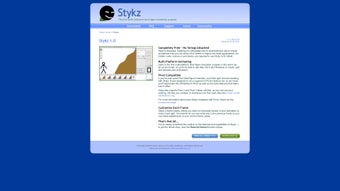
Stykz, from Sons of Thunder Software, drops you onto a plain canvas designed for crafting frame-by-frame stick-figure animations. You manipulate nodes on articulated figures, use onion skinning to compare frames, and watch motion in a real-time preview while building scenes. The app includes an internal library, layering, and Pivot .stk import for project continuity. You benefit most if you are a student or hobbyist learning animation fundamentals with modest hardware.

Unlock your creativity with Adobe Stock
Get 10 images or 1 video with a free trial
What practical projects does Stykz let you build?
You can produce short frame-based sequences such as fight, parkour, and classroom animation exercises because the app uses a node-and-frame workflow that emphasizes precise pose placement. Frame editing is central, so you adjust individual segments and see immediate playback in the real-time preview pane. The internal asset library helps you reuse figures across scenes, which keeps iterative projects consistent and reduces repetitive setup tasks.
Which file types and interoperability does it support?
Stykz reads Pivot Stickfigure Animator files, accepting .stk imports from Pivot 2 and Pivot 3 Beta to continue older projects. Export options are focused rather than broad; you can save animations as animated GIFs or QuickTime MOV files for sharing. The app does not require an external runtime because it uses LiveCode, so you avoid additional engine dependencies when opening or saving compatible files.
How approachable is the interface and learning curve?
The app feels familiar to Pivot users and is suited to classroom use because it includes a Hints window that offers context-sensitive help while you work. Onboarding is low-friction for newcomers: frame-by-frame editing and visible onion skinning teach timing and motion without complex menus. The interface layout is dated visually, but that simplicity helps learners focus on pose-to-pose animation rather than interface configuration.
How does it perform and handle larger timelines?
Stykz runs on modest hardware and includes auto-save and auto-backup to protect projects during long sessions, which supports stability on older desktops. Performance is lightweight, and real-time previews keep playback immediate for short sequences. Limitations include its 32-bit architecture on some platforms and the absence of recent major updates, factors that affect compatibility with newer operating systems.
A practical gateway for learners, with limits for modern production teams
You should treat Stykz as an entry gateway into frame animation: it helps you learn pose timing and basic sequencing without demanding high-end hardware. If you need a contemporary interface or ongoing updates for current desktops, plan to evaluate alternatives; otherwise the app is a solid learning environment that keeps the focus on motion rather than tooling complexity.


.png)